Humryk POSComing soon
The till for your shop and café
Humryk POS will be the point of sale for your counter. Products, prices and stock will be the same as in your online store, and every sale will become an order in Humryk. Contact us and we'll tell you more.
- Cash, Vipps, card terminal and gift cards
- Receipts on paper or by email
- Cash even when the internet is down
- For Mac, Windows, iPad, iPhone and Android
Last checked

Take payment the way the customer wants
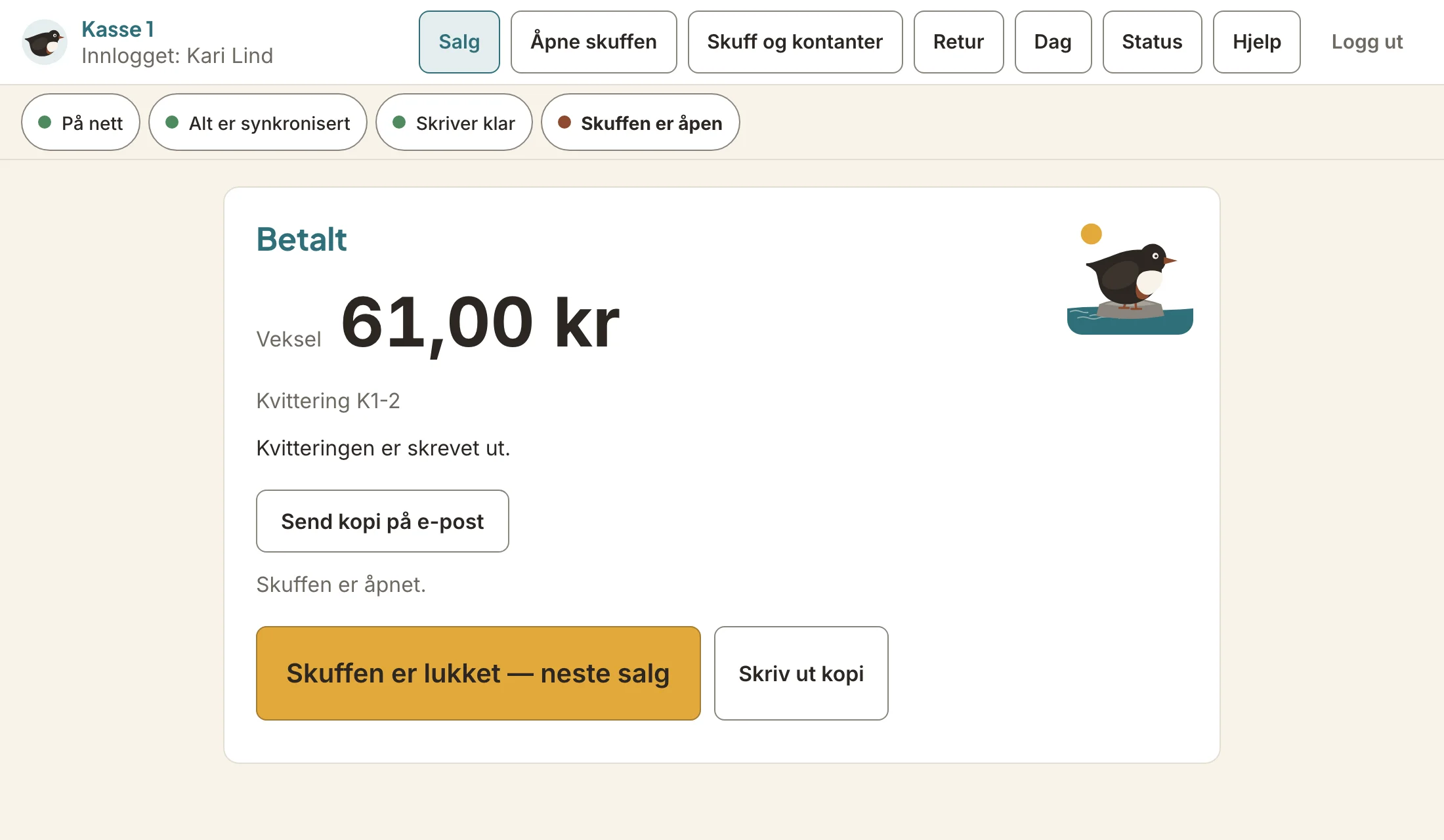
Customers will be able to pay with Vipps, from a code on the screen or a request to their phone. With cash, the till shows the change before you take the money.
Cards go through the shop's own card terminal. Gift cards from your online store and credit notes will work as payment too, and one sale can be split across several.
On a Mac or a Windows PC, the customer gets a screen of their own with the items, the total and the Vipps code.

Receipts on paper or by email
The receipt prints on the receipt printer, and the drawer opens when the customer pays cash. If the customer would rather have it by email, you send a copy from the same screen.
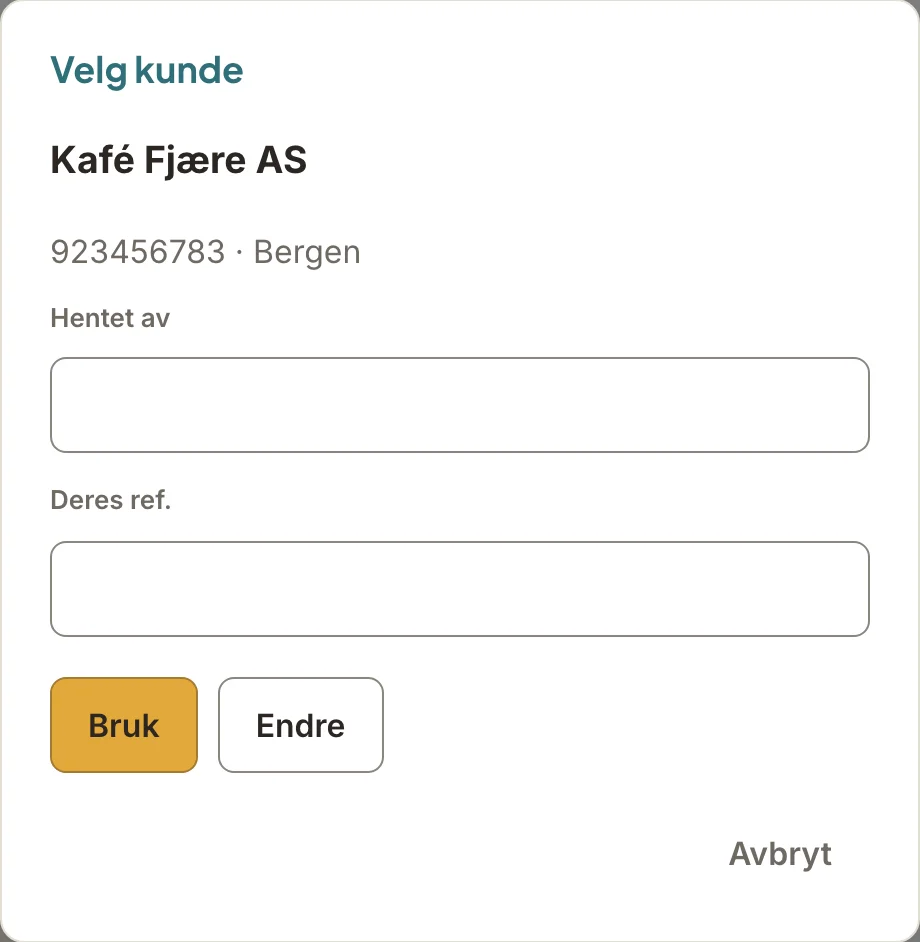
Business customers on invoice
You choose the business under «Kunde» (Customer), and the prices it has with you apply. You note who picked the order up and the business's reference, and put the sale on invoice.
Invoicing at the till will be something you switch on yourself. The business gets one invoice for the month or one per purchase, the way you've set it up.
Returns with or without a receipt
You find the purchase by its receipt number, even from another till, or by day and amount. Without a receipt, the customer gets a credit note.
If the customer bought from your online store, they'll be able to bring it back over the counter, and the money goes back to how they paid.
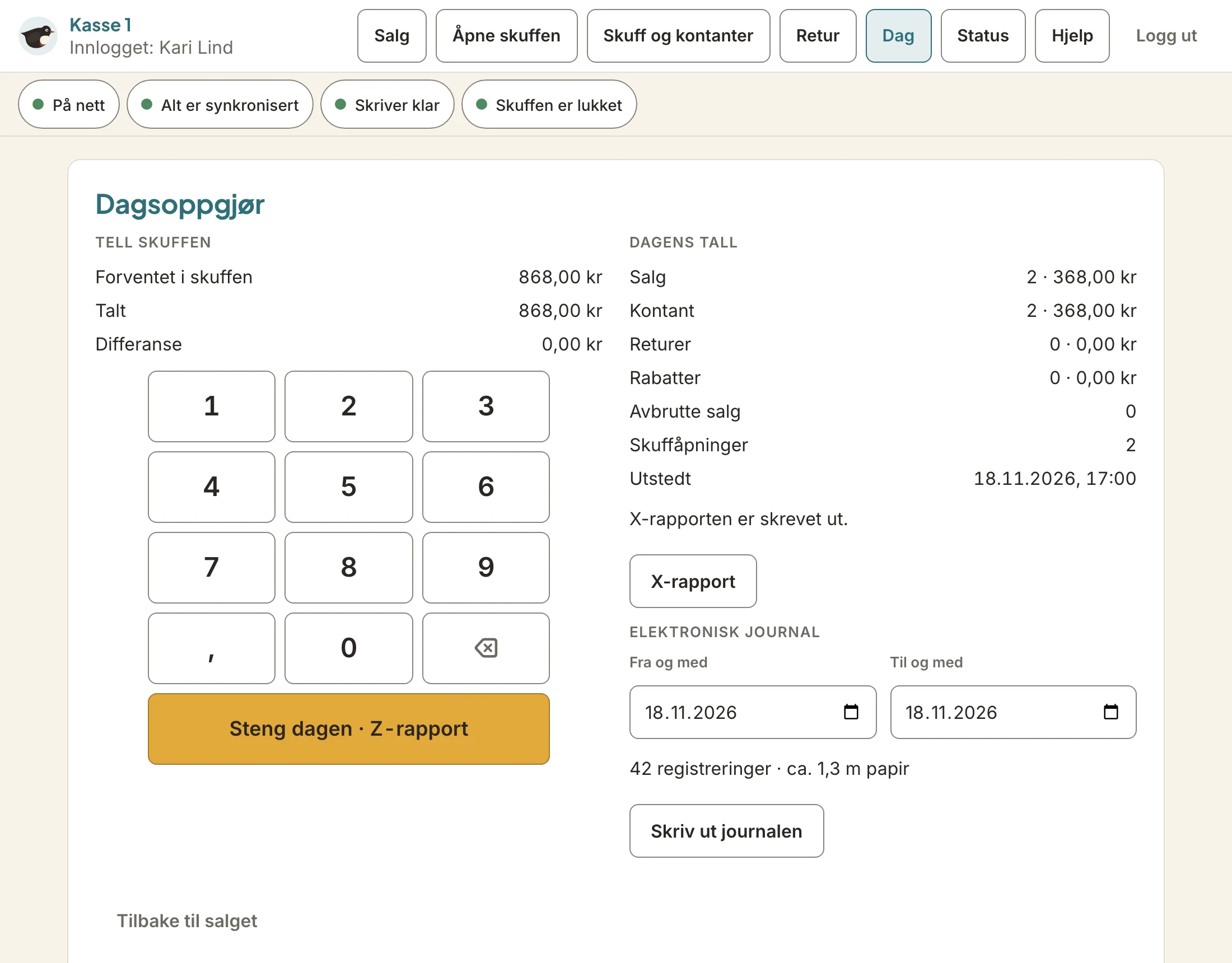
End of day with a cash count
When you count the drawer, you see straight away whether it adds up. The X report shows the day's figures as you go, and the Z report closes the day.
The Z reports and the journal as SAF-T are in the admin as well.
The same system as your online store and stock
The till will belong to one of your «Locations», and a sale takes the items from the stock there. Every sale becomes an order marked «Register» and shows up in your reports.
Discount codes and gift cards from your online store will work at the till too.
For Mac, Windows, iPad, iPhone and Android
Humryk POS will be an app you install on the computer or tablet at the counter. If the internet goes down, the till still takes cash and sends the sales once it's back online.
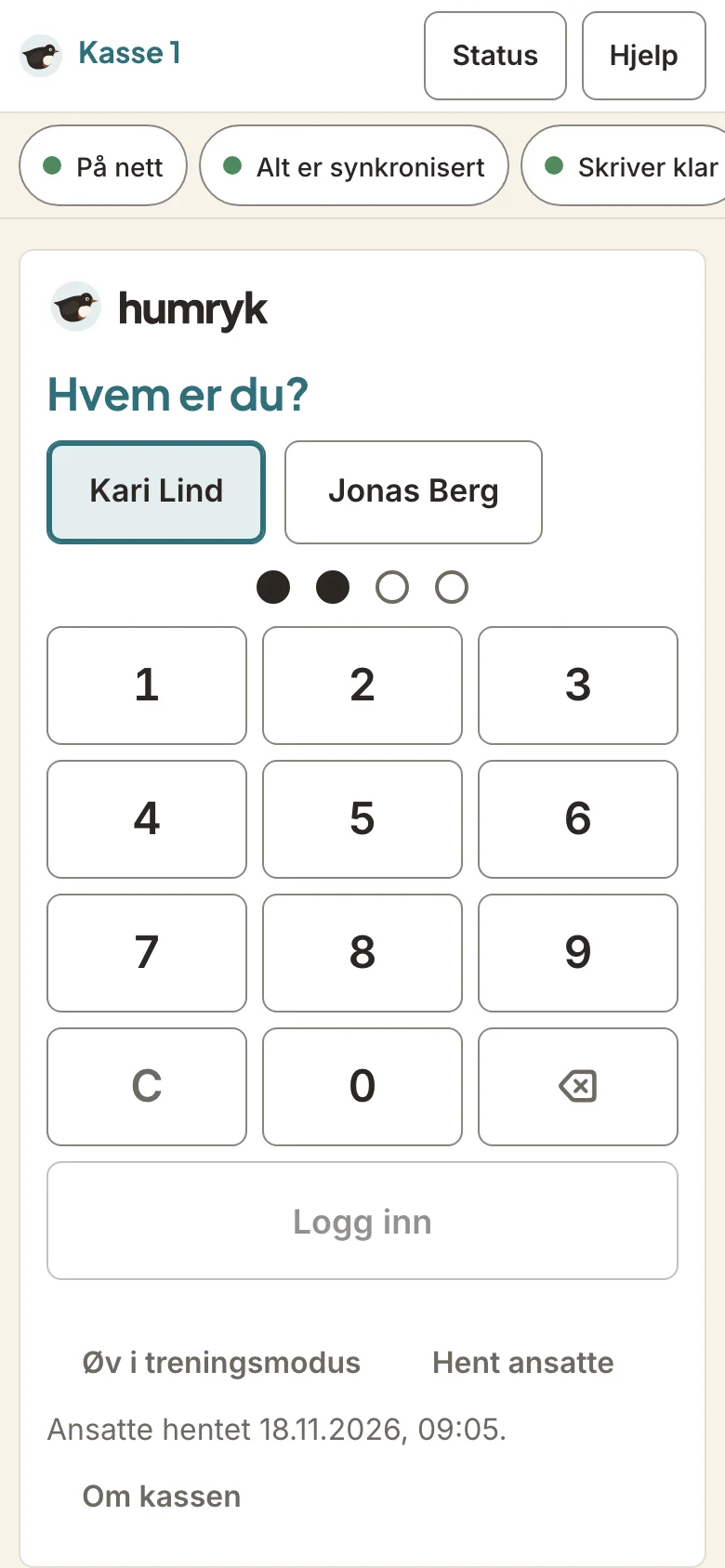
Each member of staff signs in with their own PIN. New staff can practise in training mode, where nothing becomes a real sale.
Not in the first version
- Shops outside Norway. The till is set up for Norway, and its screens are in Norwegian.
- Ways to pay other than cash when the internet is down.
- Selling gift cards at the till. Gift cards can be used there, but not sold.
- Table service, split bills by table and a kitchen screen.
Common questions
- When is Humryk POS coming?
- Soon, but we have no date to promise yet. Contact us and we'll be in touch.
- What does Humryk POS cost?
- The price hasn't been set yet. Contact us and we'll be in touch.
- What equipment will I need?
- A Mac, a Windows PC, an iPad, an iPhone or an Android device. The receipt printer must speak ESC/POS, as Epson printers do, and connect over the network, or by USB on a Mac, a Windows PC or Android. The cash drawer connects to the printer. A barcode scanner that types like a keyboard, wired or Bluetooth, will work with the till as it is. Cards go through your own card terminal.
- Will the till work without the internet?
- Yes, for cash. Sales are stored on the device and sent once the till is back online. Vipps and gift cards need the internet.
- Will the till be connected to my online store?
- Yes. Products and prices come from Humryk, a sale takes stock from the location the till belongs to, and every sale becomes an order in the same reports. Gift cards and discount codes from your online store will work at the till, and an online order can be brought back over the counter.
Read next
- For producersA platform for producers who sell in their own online store and to cafés and shops. It brings together orders, production, shipping and accounting.
- Coffee roastersFor coffee roasters: coffee with roast level and origin, bag and grind, agreed prices for cafés, subscriptions, a roast plan and Cropster.
- B2B portalA B2B portal where cafés and shops order on their own at agreed prices, with standing orders and invoicing. Try it free for 30 days, with no card.